Help your Shark find your Trigger.
If Sharkware cannot find your controller automatically, use the connection diagnostic to save its Bluetooth address and check the required helpers.
Download the connection diagnostic
For existing Trigger owners. Enter your purchase email and the Sharkware licence associated with your Trigger access.
Before you run it
- Sharkware must already be installed. The tool stops if it is missing.
- Park safely. Keep the Shark and controller powered, and connect the computer and Shark to the same Wi-Fi network.
- Wireless ADB must already be enabled using the Sharkware installation instructions.
- Use an Android phone for the address-reading steps below. If you have an iPhone, you can borrow an Android phone.
Tested with our BYD AUTO Android 11 Shark and controller on Windows and Mac. Other older builds, different controllers and reboot reconnection across different vehicles remain unverified.
Find your controller’s MAC address
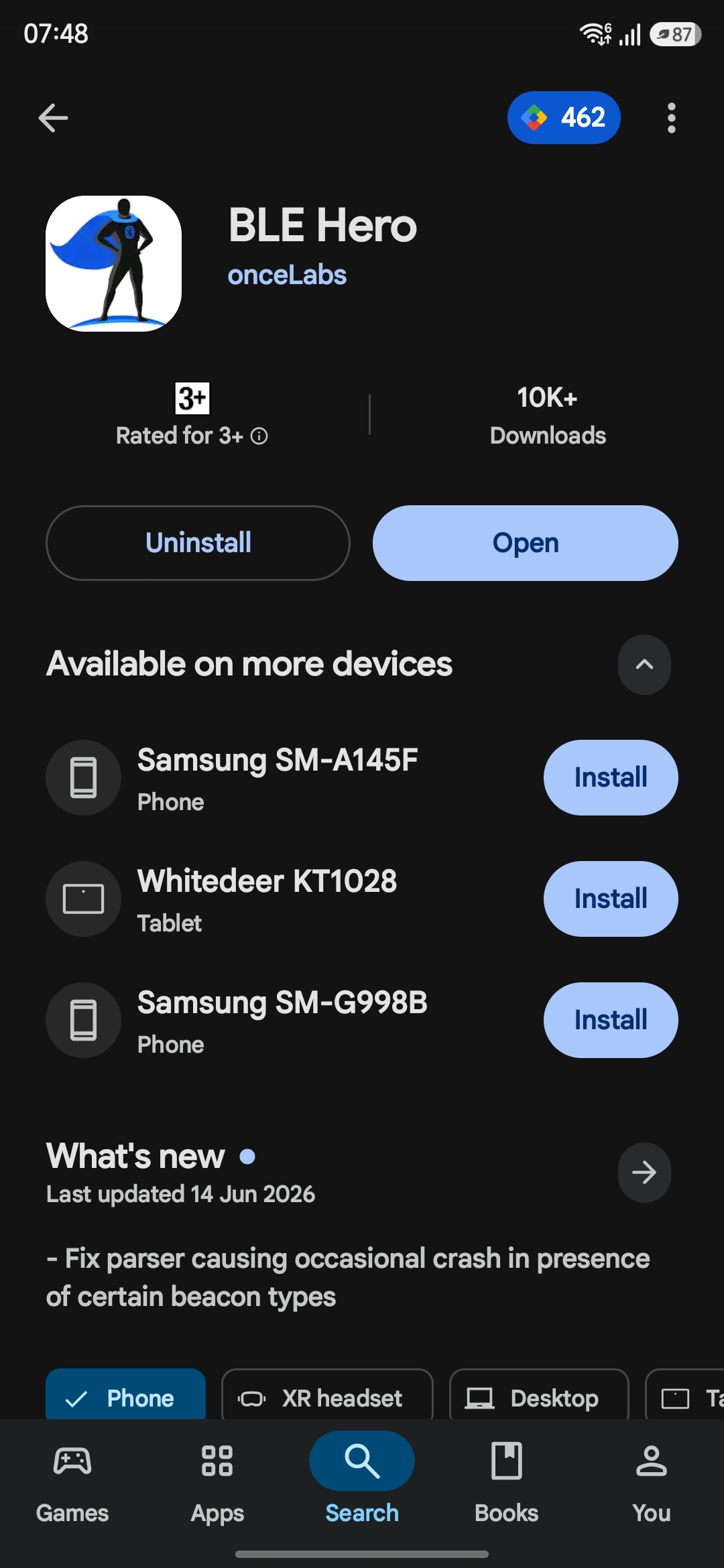
- On an Android phone, install BLE Hero by onceLabs.
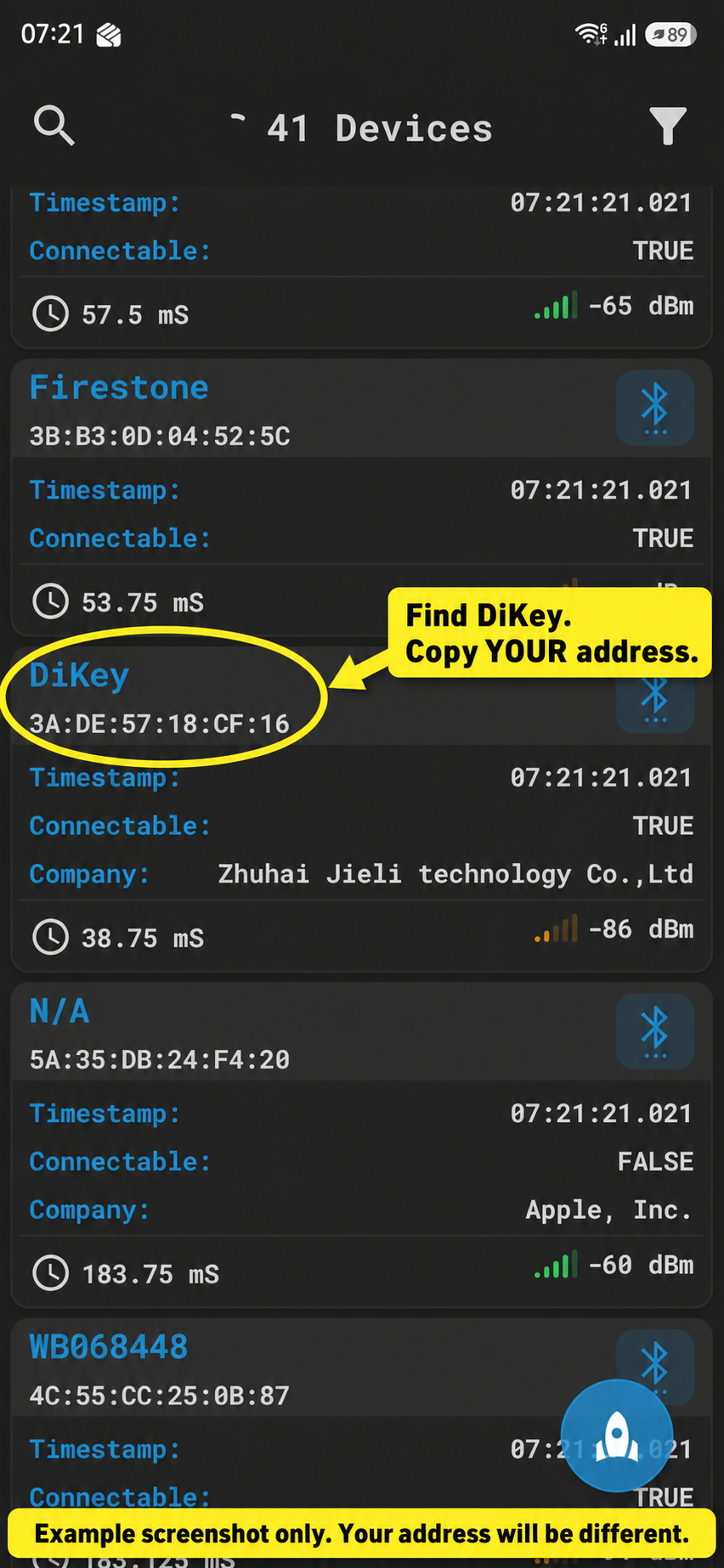
- Allow its scanning permissions and scan near your powered controller. Find DiKey.
- Write down the MAC address immediately under DiKey. Use your own address, not the example shown here.
- Turn Bluetooth off on the phone. Leave Bluetooth on in the Shark.
- Extract the download and open START_WINDOWS.cmd or START_MAC.command. Follow the included START_HERE guide and enter the MAC address when asked.
If helpers were installed or replaced, keep phone Bluetooth off, unplug the controller and plug it back in. Confirm a button works, then test unplug/replug reconnection.
The diagnostic checks compatible helpers, creates a backup and retains your settings. It does not uninstall Sharkware or clear its data. If it stops, keep the error message and contact support.
proformance test
Browser-install test for the BYD Shark. This is a separate test app, not a Sharkware update. Installation on the Shark is not yet confirmed.
- Park safely and open this page in the Shark’s built-in browser.
- Download the APK, then open the downloaded file to see whether Android offers an install prompt.
- If it installs, open Sharkware Install Test and check for TEST APK INSTALLED AND OPENED.
Test use only. The app requests no permissions and does not replace Sharkware, Control or the helpers. A successful download does not confirm that the vehicle permits installation.
Darryl: SharkSight Original1020/1021 to1057 — Windows
Use only when directed by Sharkware support for Darryl’s existing SharkSight Original installation. This is a targeted in-place support update, not a generic SharkSight One installer. The tool accepts only the exact verified Original1020 or1021 APK; a missing app or any other version stops.
Download Darryl’s Windows in-place support update
- Extract the whole ZIP into a normal local Downloads folder and read START HERE.txt. Windows10/11 Intel/AMD only; Windows ARM is unvalidated.
- Keep the Shark parked and powered, recording OFF in the normal app, Sentry unarmed and factory AVM unused. Connect Windows using your established same-Wi-Fi/hotspot ADB setup and current Shark IP. No USB.
- Do not uninstall SharkSight, clear data, change security or replace helpers. Check the existing licence, settings and clips before proceeding.
- Open Repair SharkSight.bat, enter the current Shark IP, and review any normal debugging prompt yourself. Type REPAIR only when the included conditions are satisfied.
- After verification, open SharkSight normally and check licence, settings, recordings and protected clips before restoring recording. Installation checks do not prove camera/video performance.
- If Windows blocks the script, or the tool stops, contact support with the private repair logs. Do not bypass Windows security, run as administrator or try other installers.
Includes the exact reviewed1057 APK and existing Windows ADB runtime. No remote APK download or licence transmission by the installer. Normal app licence checks remain unchanged. Native Windows and vehicle execution of this bundle remain untested.
ZIP SHA256: 28ca008ff539fe006a2750a65f9f5d283c8018e3b00c47f39c64bbaae991fa98
Keith: Windows helper repair
Targeted support package for the hidden wake-helper version downgrade shown in your installer screenshot. Download on Windows, choose Extract All, and run INSTALL_SHARKWARE_WINDOWS.bat from the new extracted folder while connected to the parked Shark hotspot. Keep the APKs and platform-tools folder together.
Preserves existing app data. Includes signed wake helper 755 and Bluetooth helper 769. Package checks passed; installation on Keith's ute still needs confirmation. Send support a photo of the final success screen or exact error.